Best/Popular CS2 Clan Tags & How To Use Them
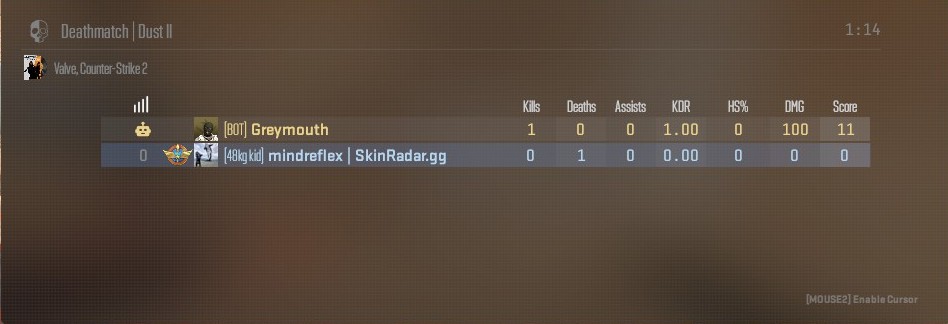
Clan Tags are back in CS2! Here are the most popular clan tags, including the common ones used back in CS:GO days (click the text for the Steam Group).
---
>> Search for Steam Groups yourself <<
Can't find what you are looking for? There is a good chance the Steam Group you're looking for is private or has been completely removed (like XANTARESPEEK). You can always try your luck creating your own Steam Group. Note: Steam Groups have unique clan tags, but you can avoid this with extra symbols (for example, if "cool" is taken, perhaps "c o o l" or "cool." might not be).
How to add Clan Tag In-Game
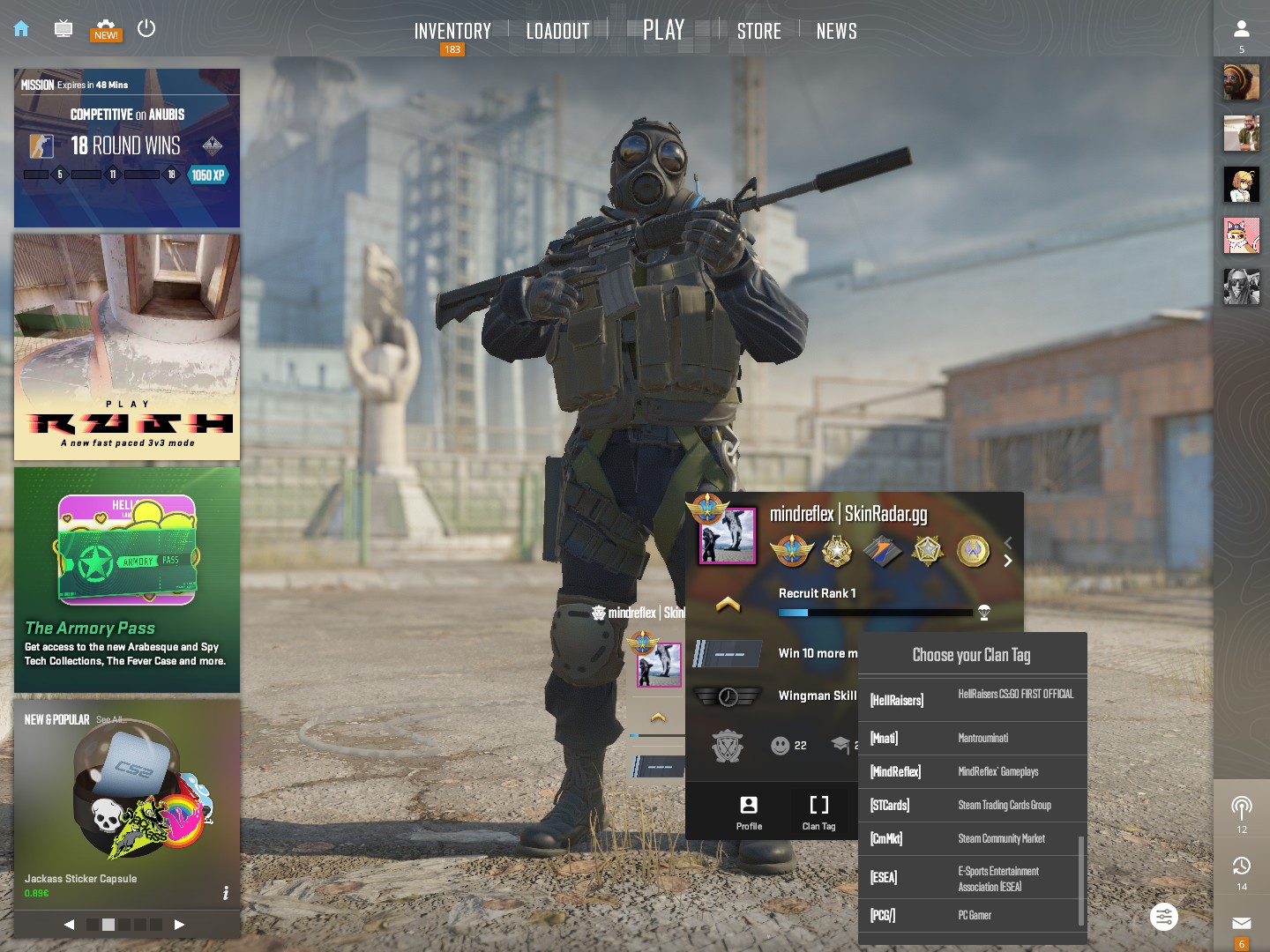
Simply go to the CS2 main screen (Home icon on top left), click on your profile box (bottom middle). At the bottom of your profile box, there will be an icon with "Clan Tag" under it, click it to select or remove your clan tag. Note that the Clan Tag list contains tags from the Steam Groups that you are in.
There is also an option to enable Clan Tags in your kill feed, so that for everyone on the server with a clan tag, the full clan tag + name appears in the kill feed. If the setting is off, clan tags only appear on the Scoreboard (TAB).
