CS2 Float Guide | Wears, Range Value Explained
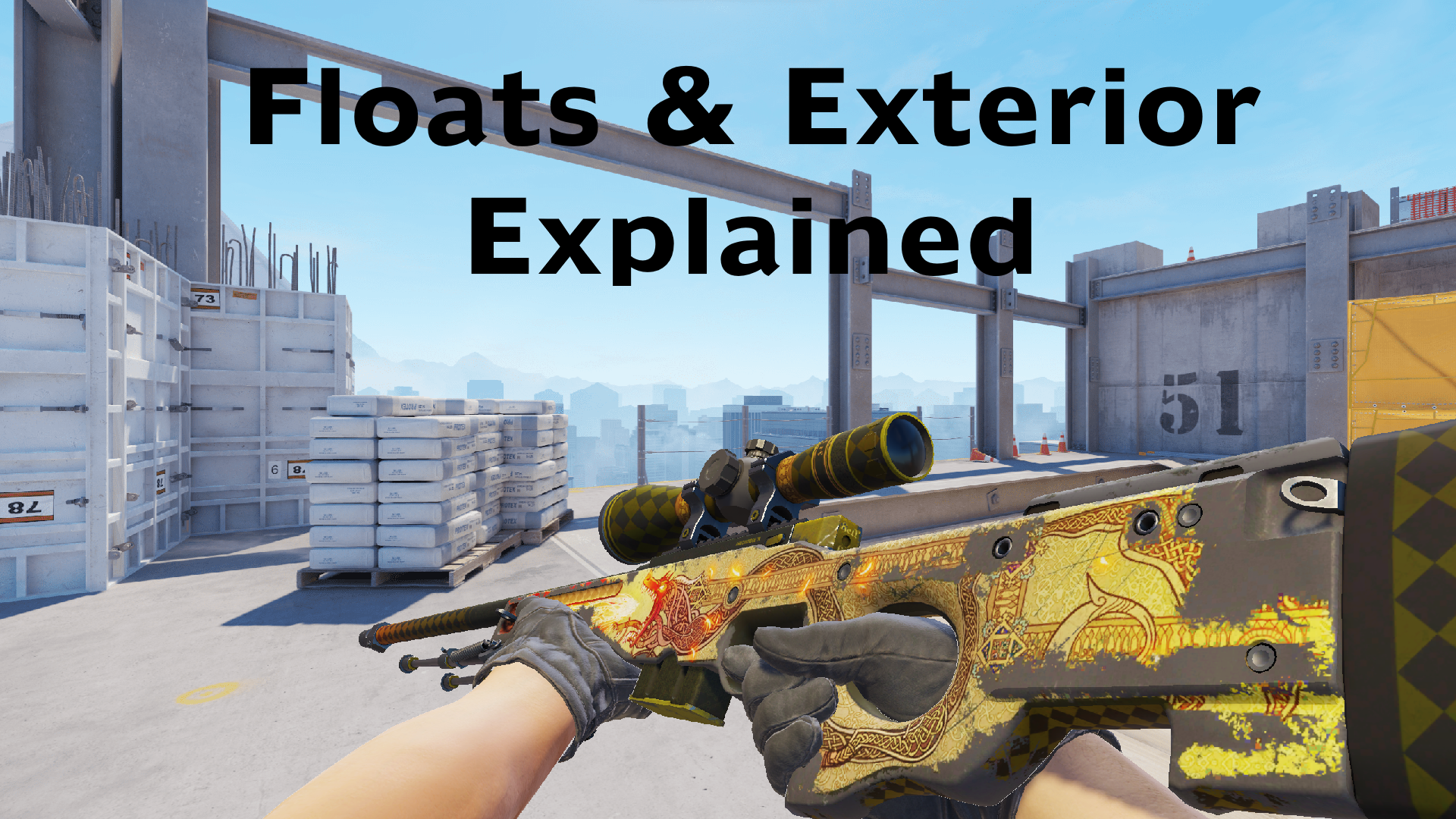
Have you ever wondered what makes a skin "Factory New" or what it means when people say they have a triple zero float skin? Or how about when your friend says their skin is ranked #23 by highest float value in Well-Worn condition? Let’s find out.

Wear and float value are often overlooked aspects of CS2 skins, but both wear and float impact skins in a significant way. Without them, skins today as we know them wouldn’t be the same. Wear describes the condition of the skin looks-wise, while the float value determines what wear the skin will have. Understanding the fundamentals of skins is key to acquiring rare and unique skins that set you apart from the rest.
Wears and Float value: how they work
The names of the wears are usually abbreviated to the first letter of each word, so FN, MW, FT, WW, BS, respectively. Their names describe the visual cleanliness or shininess of the skin, with FN being the cleanest and BS being the least clean.
CS2 skins are divided into five wears, each covering a specific, unchangeable float range.
Factory New (0.00 – 0.07): The cleanest condition. Skins in this wear show hardly any visual imperfections such as scratches or missing textures. If the skin is closer to 0.00 or even multiple zeroes before another number, it will look flawless in most scenarios.
Minimal Wear (0.07 – 0.15): As the name suggests, it will have some minor scratches and imperfections, but it will still be generally clean. Low float MW skins can look as clean as FN skins, so if you’re pinched for money but want the pristine look, they’re the way to go.
Field-Tested (0.15 – 0.38): The most commonly acquired wear of CS2 skins. It is the best budget choice, as a good chunk of skins look very clean at low float FT, especially if you can get a 0.15 – 0.20 float range with not much overpay.
Well-Worn (0.38 – 0.45): The oddball wear. It is the same float range as FN skins but without any of the cleanliness. This is where most skins start to look quite scratched and scuffed up.
Battle-Scarred (0.45 – 1.00): The biggest float range. Skins in this wear are very noticable wear and a good bit of texture will be missing. But due to the big float range, low-float BS skins will look much better than high-float BS skins, even if they are the same wear. Some people prefer the beaten-up look of the skins in this wear, as they went through a battle or two, as the name suggests.
If not for the float value, there would be no range to determine where wears start and end.
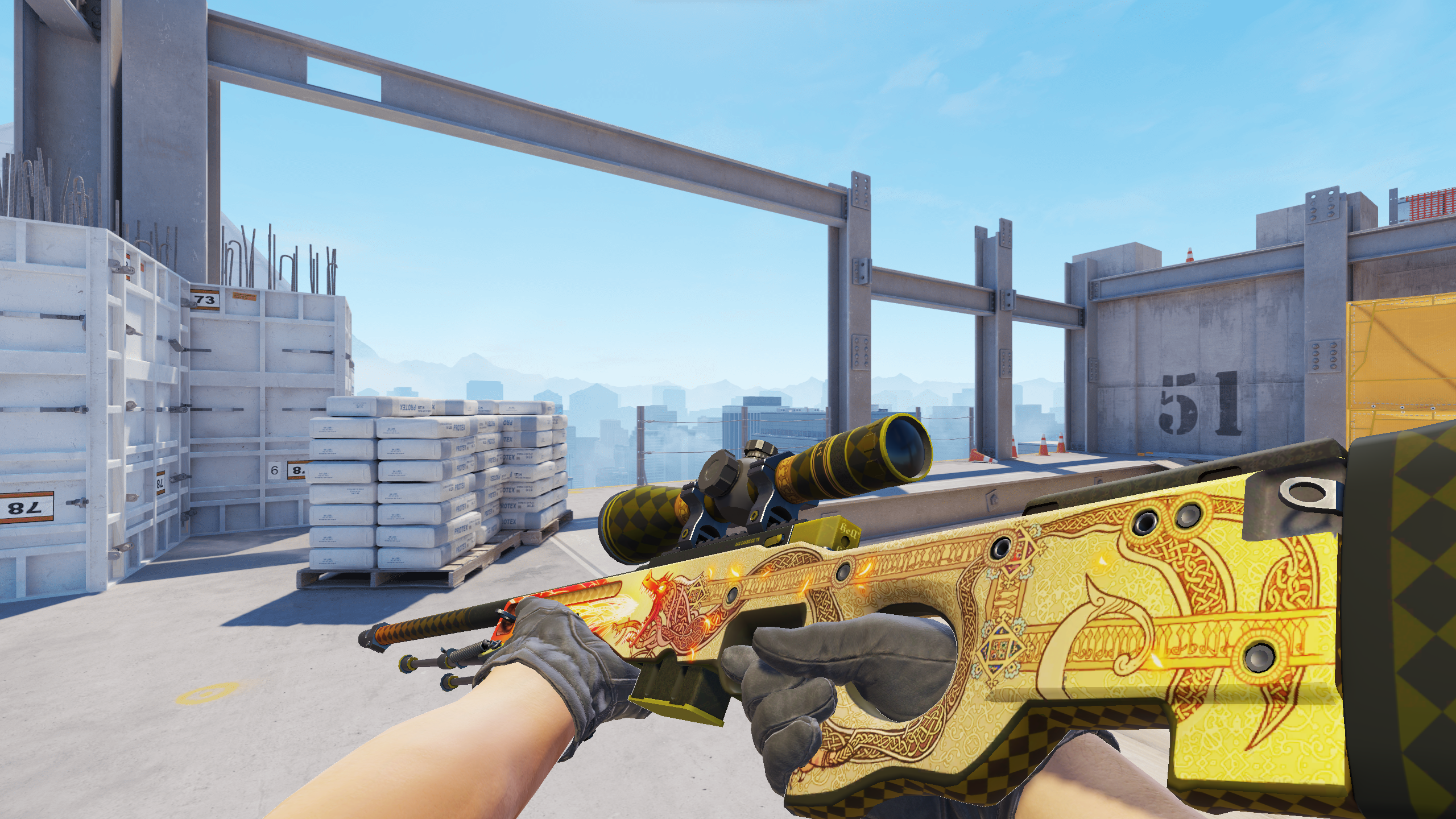
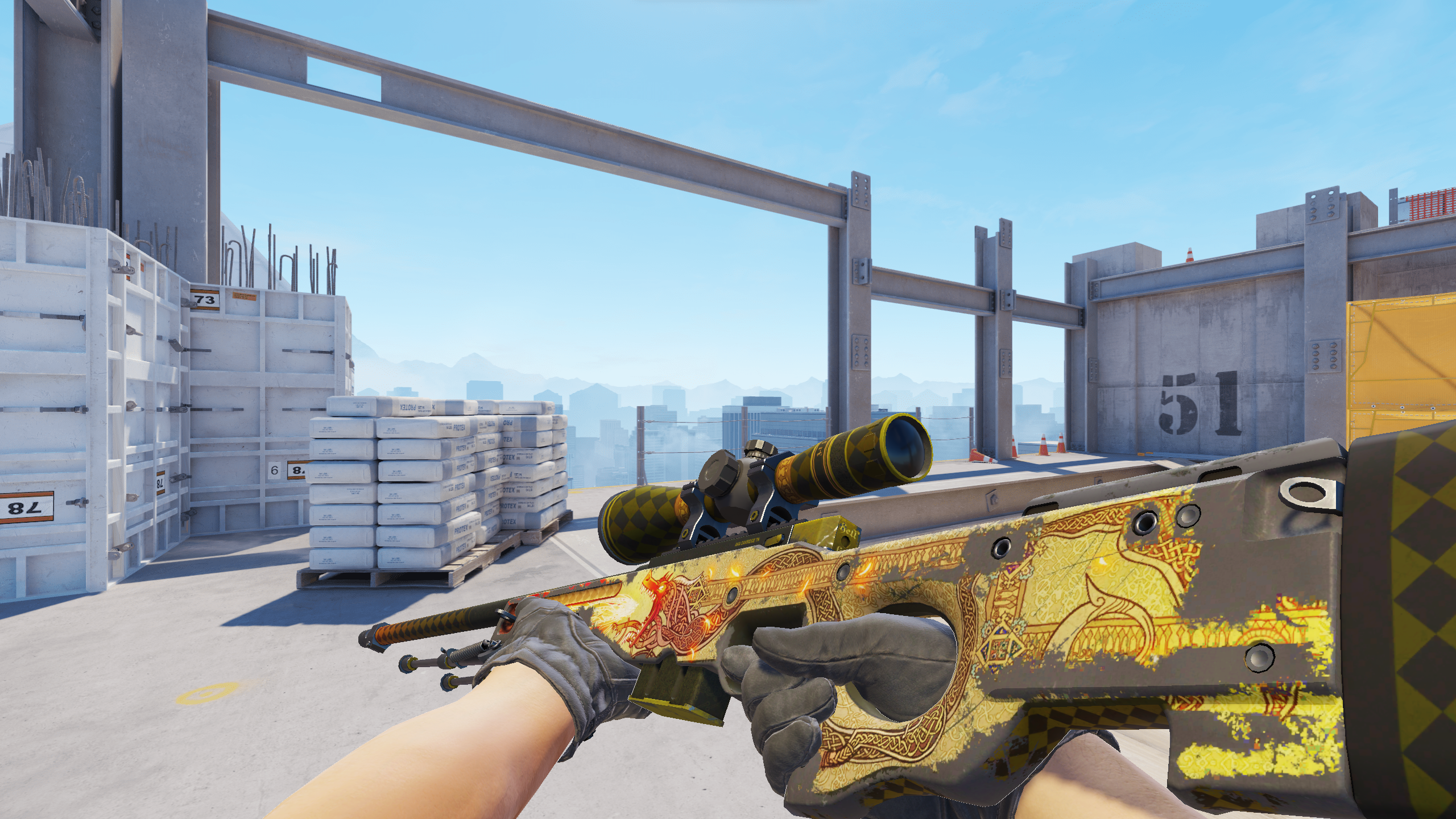
At this point, you might be asking: "What about the float value? What does the float value do? And where does it come from?" Let's dive into it.
Every skin must have a float value to exist. The float value, often abbreviated to FV or just float, is a decimal number from 0.00 to 1.00 that is generated upon the creation of a skin, such as in a weekly drop or unboxing of a case.
Each skin has a fixed float range which is assigned by Valve or the skin creator. Not all skins are available through the entire range of float values and therefore can’t exist in all conditions. Certain skins follow a strict guideline with their float ranges, such as gloves always being between 0.06 and 0.80 float value or specific weapon skins, for example AK-47 | Redline that has a range of 0.10 and 0.70.
A popular myth is that the float value goes higher with skin usage, making your skin wear more and more over time. This is simply not true and is just a misconception from the very old days of the game. The float value is unchangeable. Once a float value is generated, it stays that number permanently.
Where to locate information about your skins
To find the wear and float value of your skins in-game:
Open CS2
Go to your inventory and select the skin you want
Right-click and click Inspect
Hover your mouse over the information button at the bottom of the screen. There you will find all the details that you need, such as wear rating (otherwise known as float value), pattern template, finish catalog (which is paint seed), and finish style.
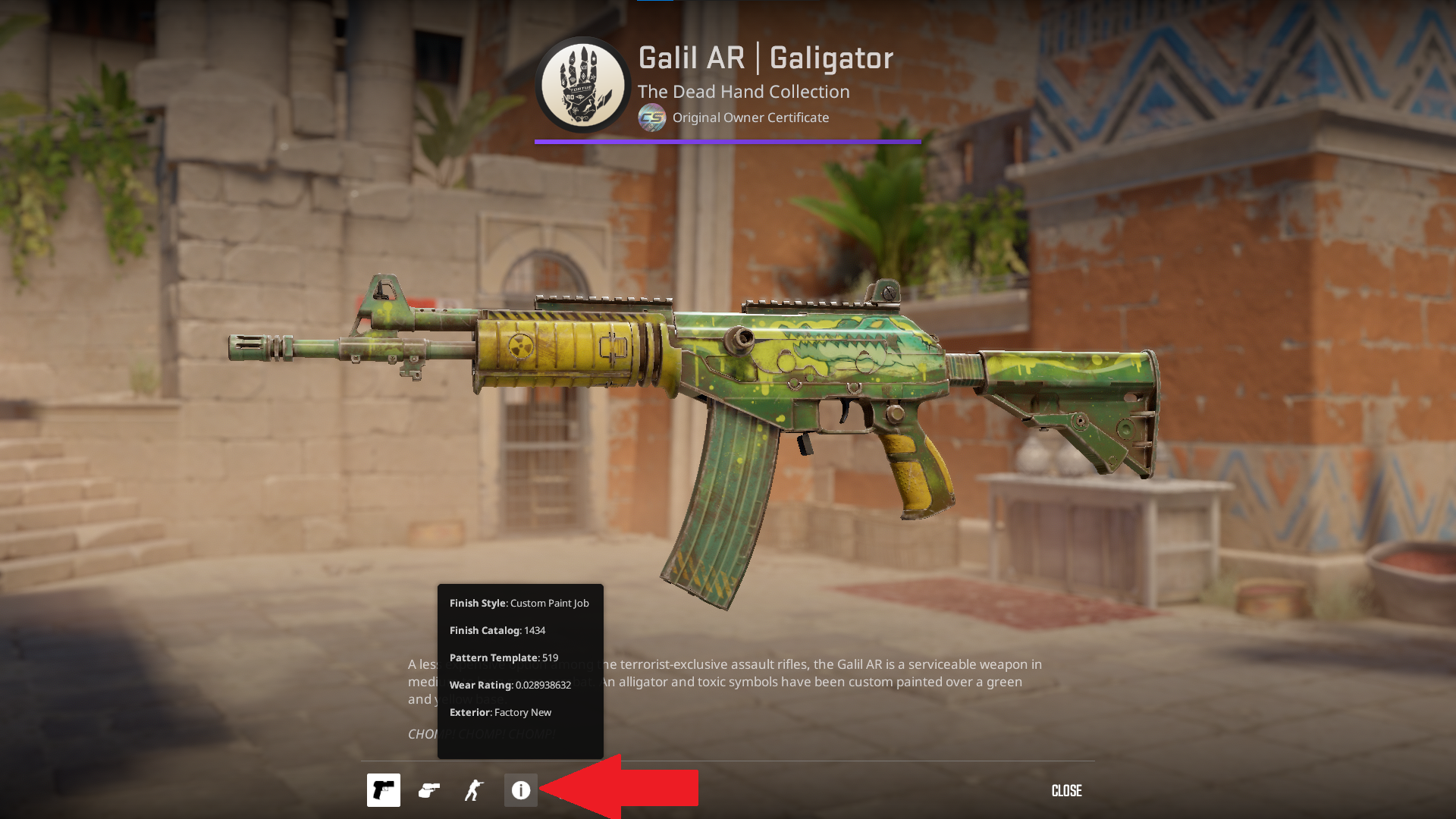
If you wish to check outside of the game, you can alternatively:
Go to your Steam profile
Navigate to your Inventory
Select the skin you want
On the information panel of the skin, you can find the Exterior (known as Wear), pattern template, and wear rating
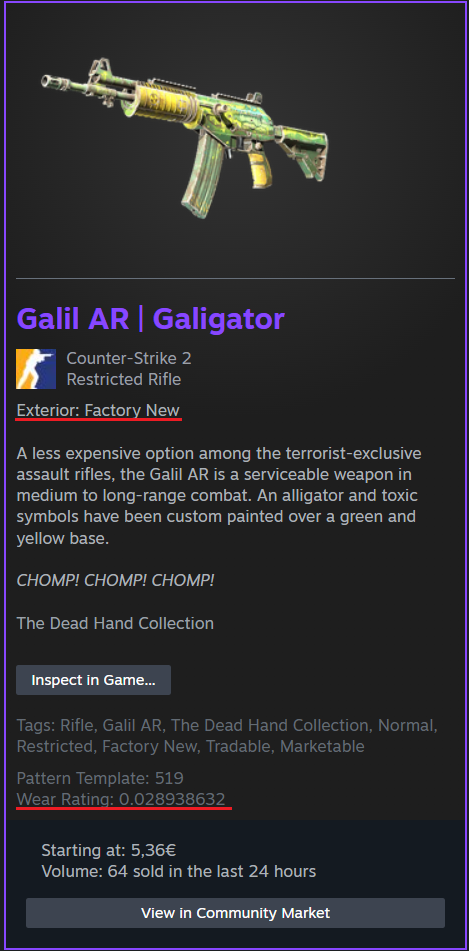
Additionally, if you wish to see what rank your low-float or high-float skin is, you can get the CSFloat Chrome extension. Float rank is never stated by CS2 or Valve, but based on the CSFloat database, which thousands of users use and tracks over 2 billion skins in users' inventories.
Conclusion
Before purchasing a skin, always check the float and wear of it. Wear is the primary point people check, but float value is often overlooked. You can save a lot of money by purchasing, for example, low-float FT skins compared to MW skins, as the jump in price is quite substantial compared to the improvement in cleanliness.