How to directly deposit Buff.163 balance
Buff.163 is the most well-known CS2 skin trading website in the Chinese market. Buff is often taken as the main source to price check all the skins since Buff.163 holds the largest amount of inventory in the CS2 market and offers the most competitive prices. Nowadays, Buff.163 is competing very closely with another huge Chinese marketplace, YouPin898. With Buff.163 being the trend leader for the CS2 skins market, a lot of users are looking into how to use it. The trick is, Buff and YouPin are meant for Chinese users, hence there are no traditional payment methods for users outside of China. Thankfully, Buff opens up a route for users outside of China to deposit their balance and use Buff.163 market, there is even an official article from Buff.163 showcasing how foreigners can still use Buff. Here is a detailed guide with all the screenshots on how the official Alipay deposit goes.
Step 1. Download Alipay App
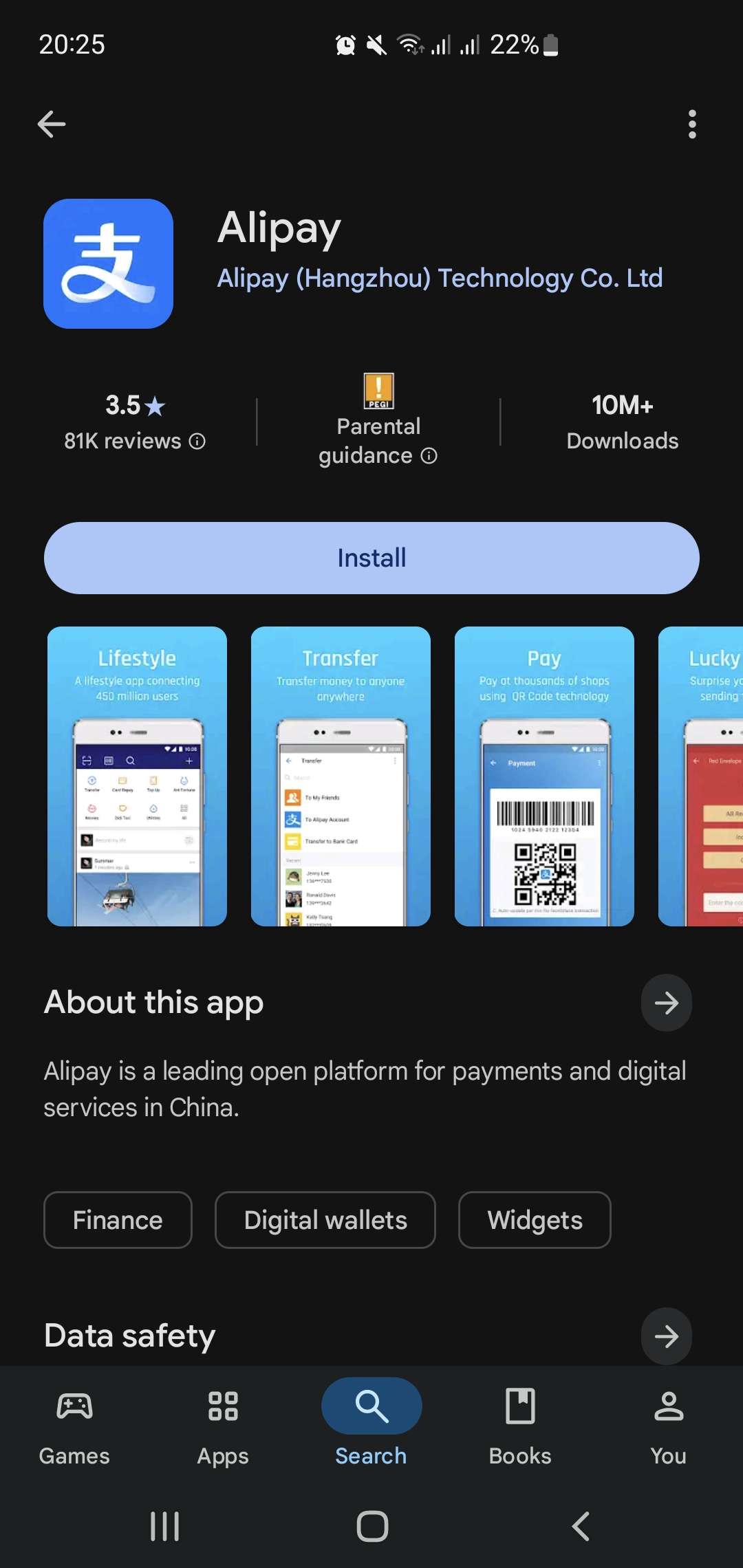
Step 2. Sign up using traditional email+password OR phone number
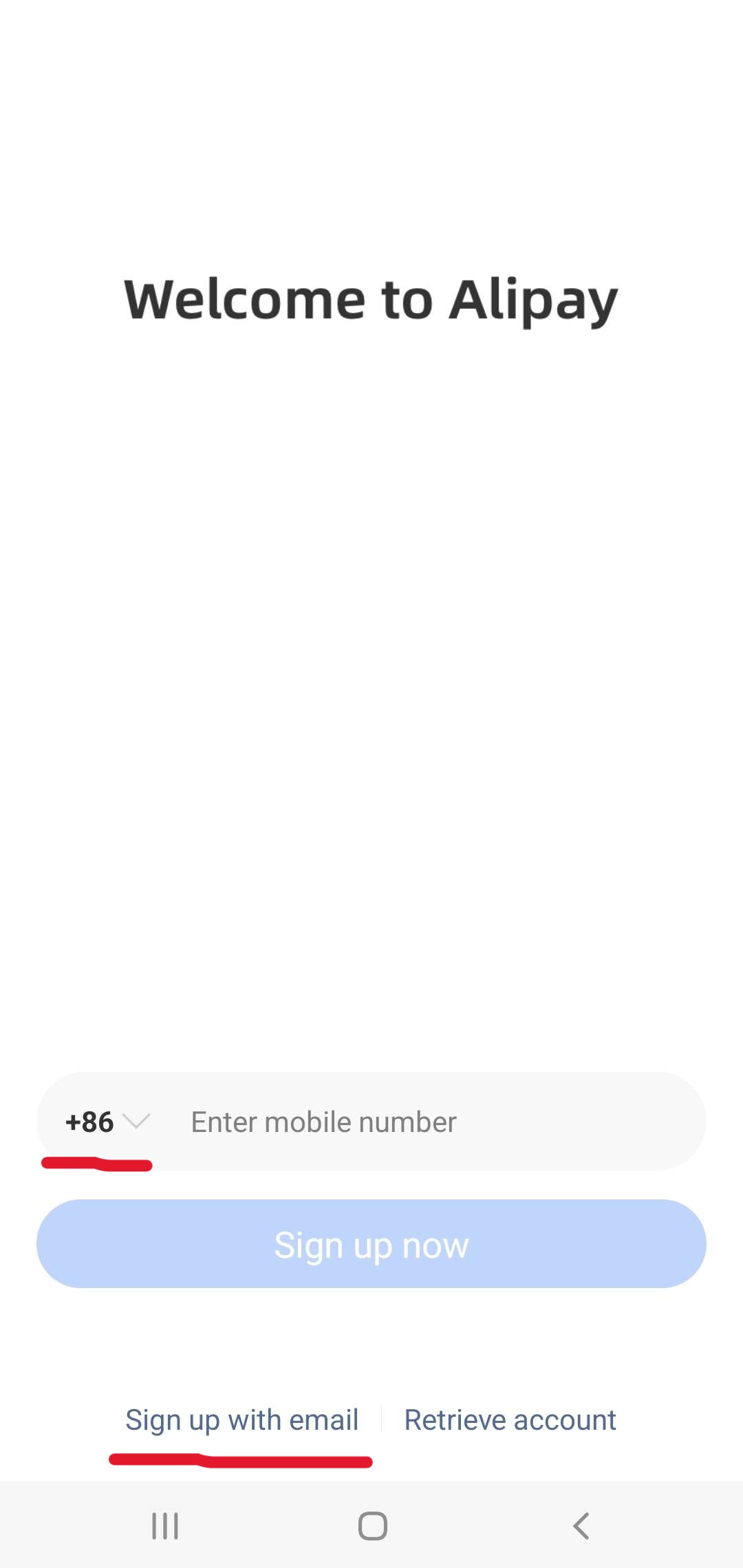
Step 3. In the Alipay App, click "Me"/"Account" in the bottom right. Click "Add account info to complete registration" to start KYC verification
Step 4. Select your country and Passport as a document type. Fill in the rest of the required information. Make sure everything is correct
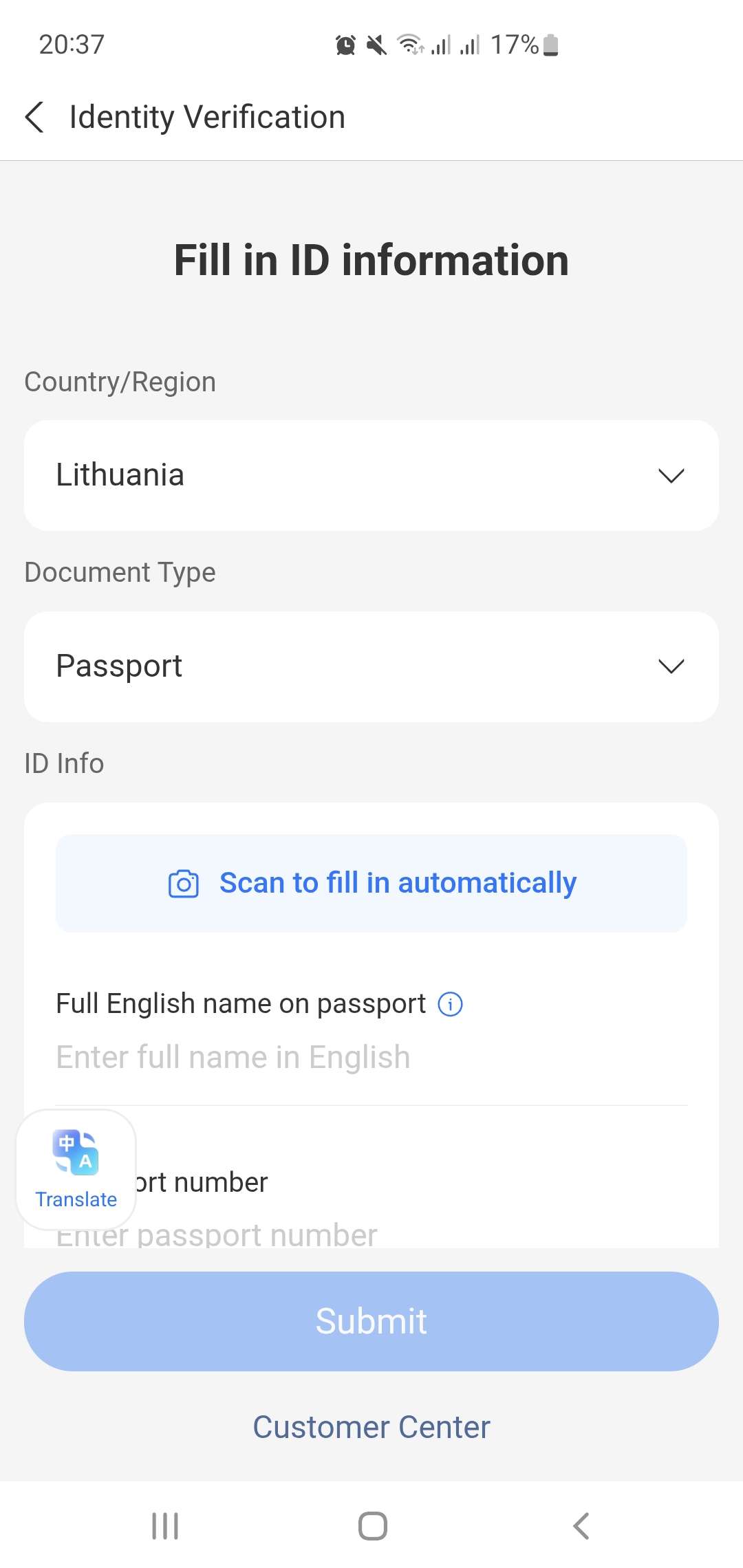
Step 5. After successful verification, go back to the "Me"/"Account" tab and select "Bank Cards"
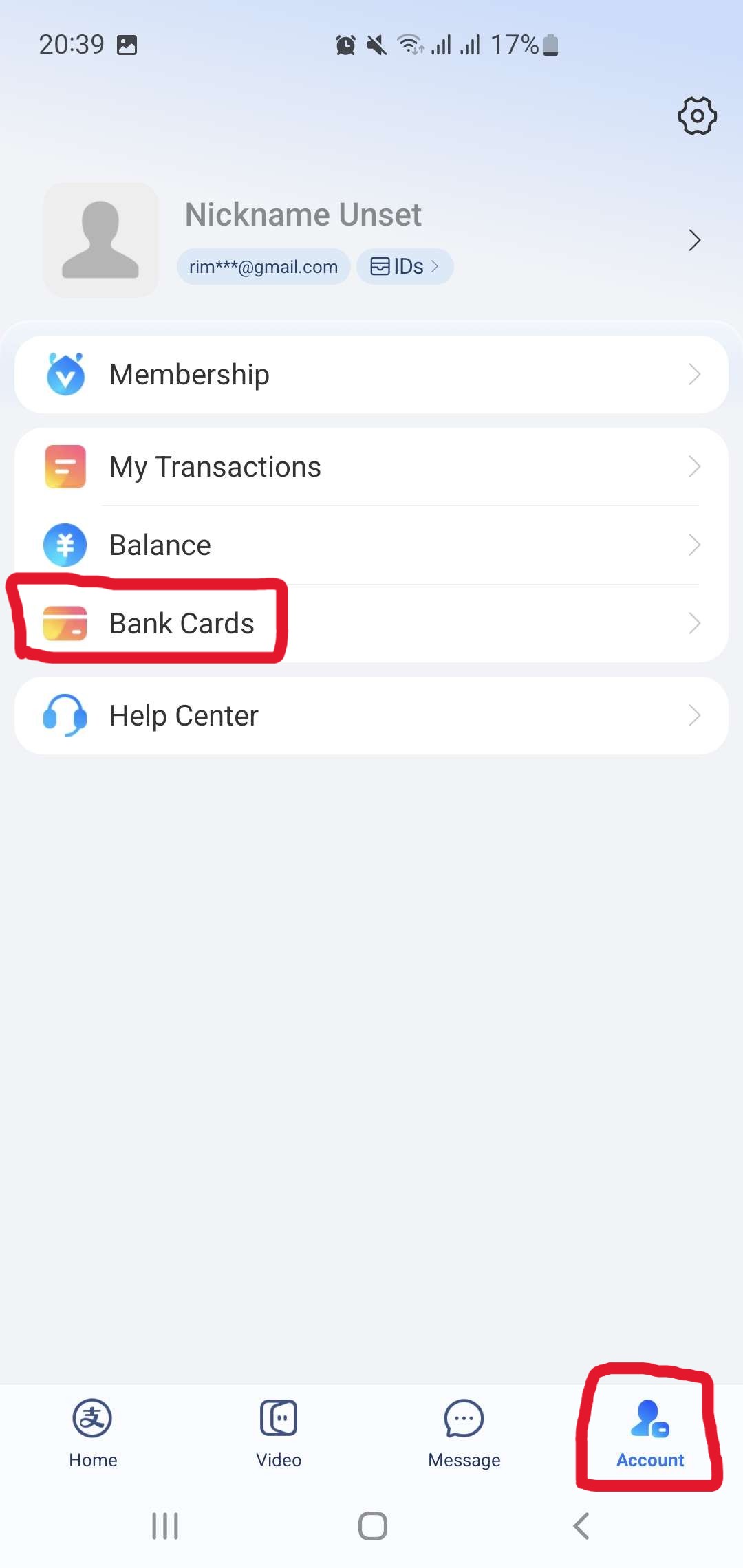
Step 6. Add your desired bank card. Note that this doesn't have to be a credit card; Alipay also accepts debit cards, such as Revolut
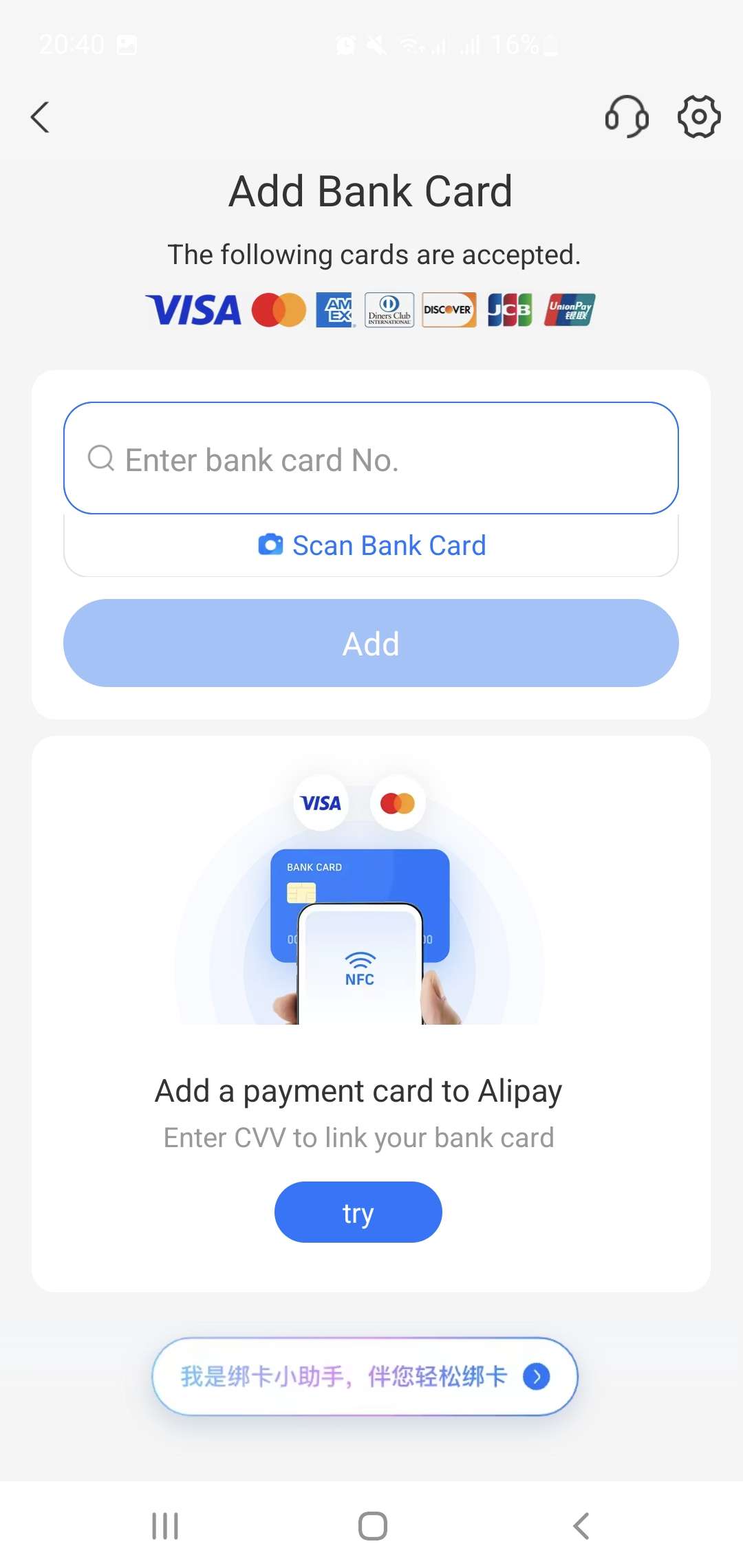
Step 7. Continue to Buff.163 website (Buff account needed, can easily log in through Steam)
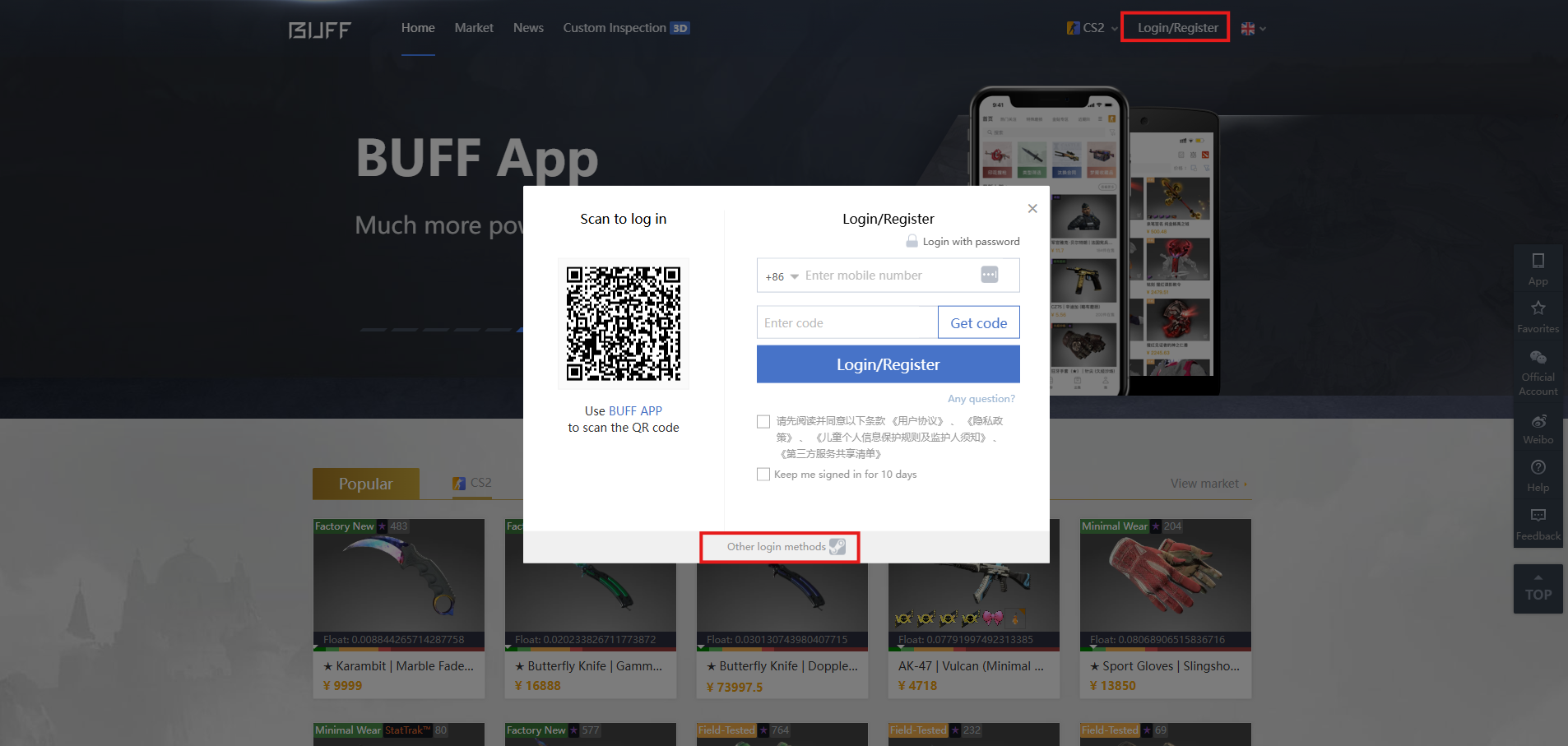
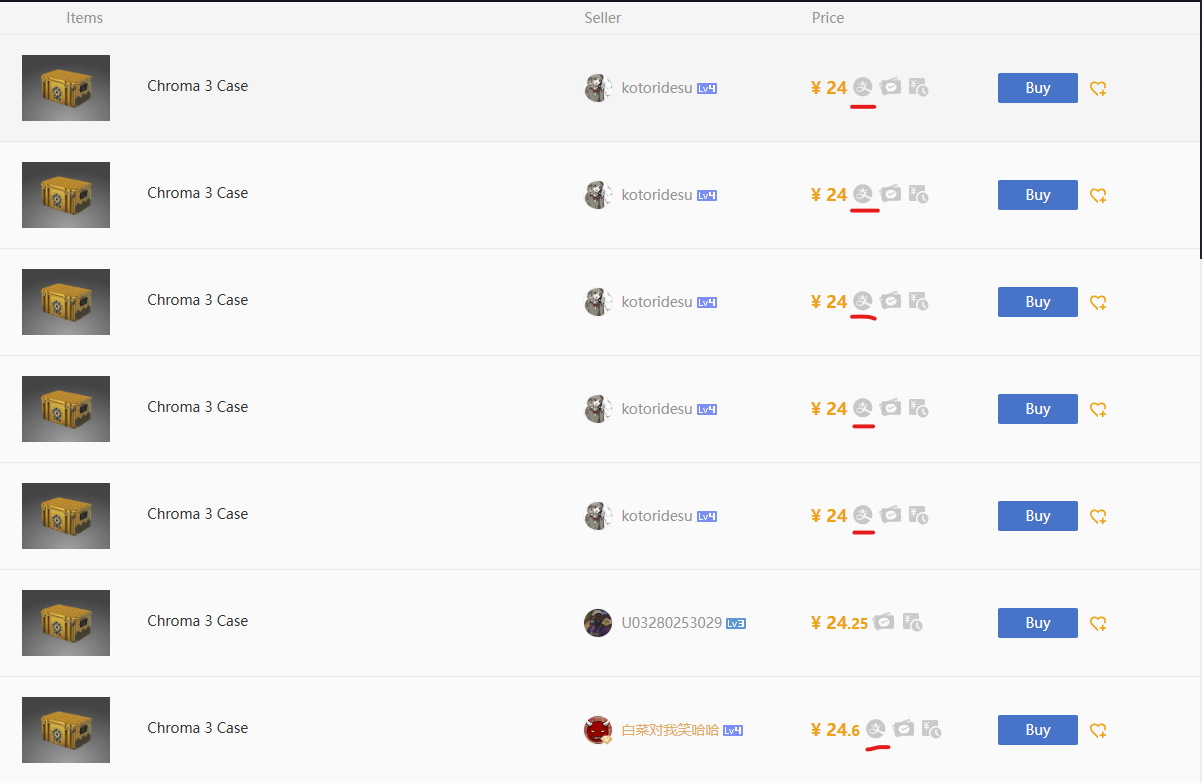
Step 8. Find the item you want to buy and look for an offer with an Alipay symbol. Only these offers are applicable for this payment method
Step 9. After clicking buy, select "Alipay - Huabei" as your payment method. You might need to expand payment methods if you don't see this option right away. NOTE: "Alipay" option won't work on this method, as it is not the same
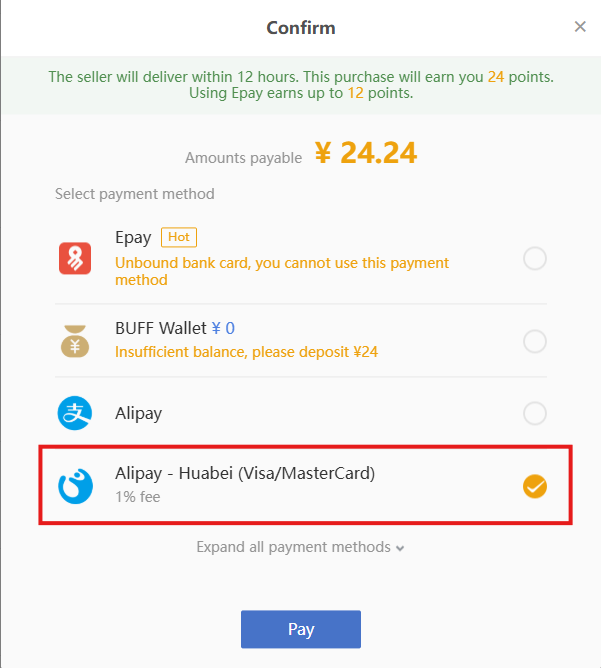
Step 10 1/2. Click "Pay". A window will pop up with a QR code.
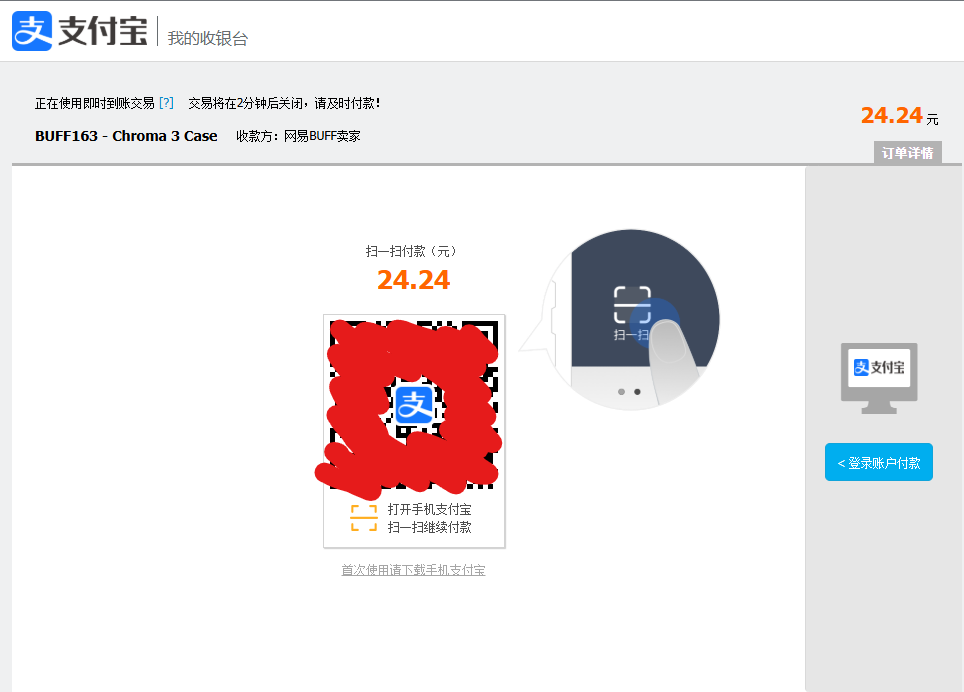
Step 10 2/2. Open your Alipay mobile app, and select the "Scan" tab at the top left to scan the provided QR code
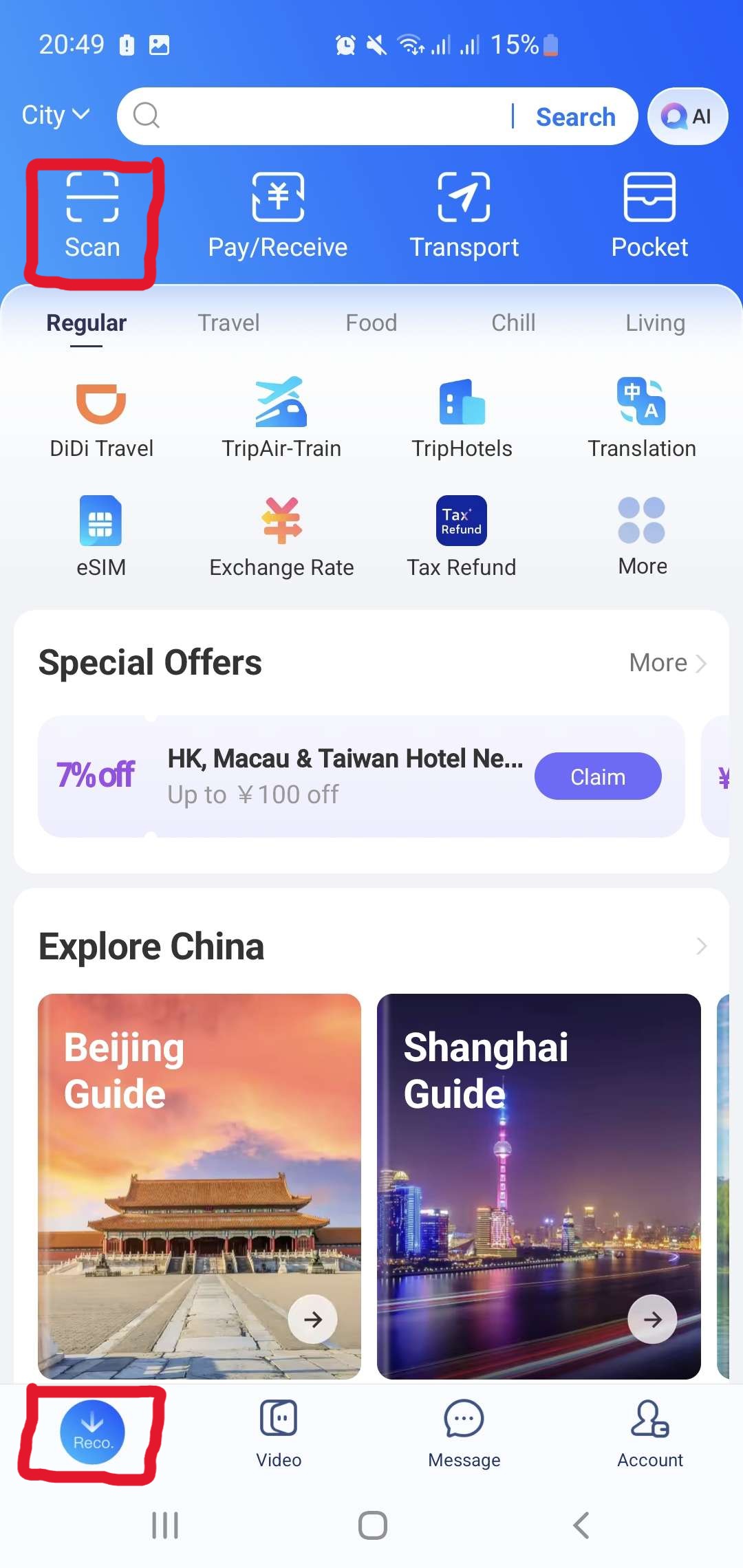
Step 11. After QR code scan, you should see the payment confirmation on your Alipay mobile app, make sure your desired default payment is selected, enter the necessary details to complete the payment
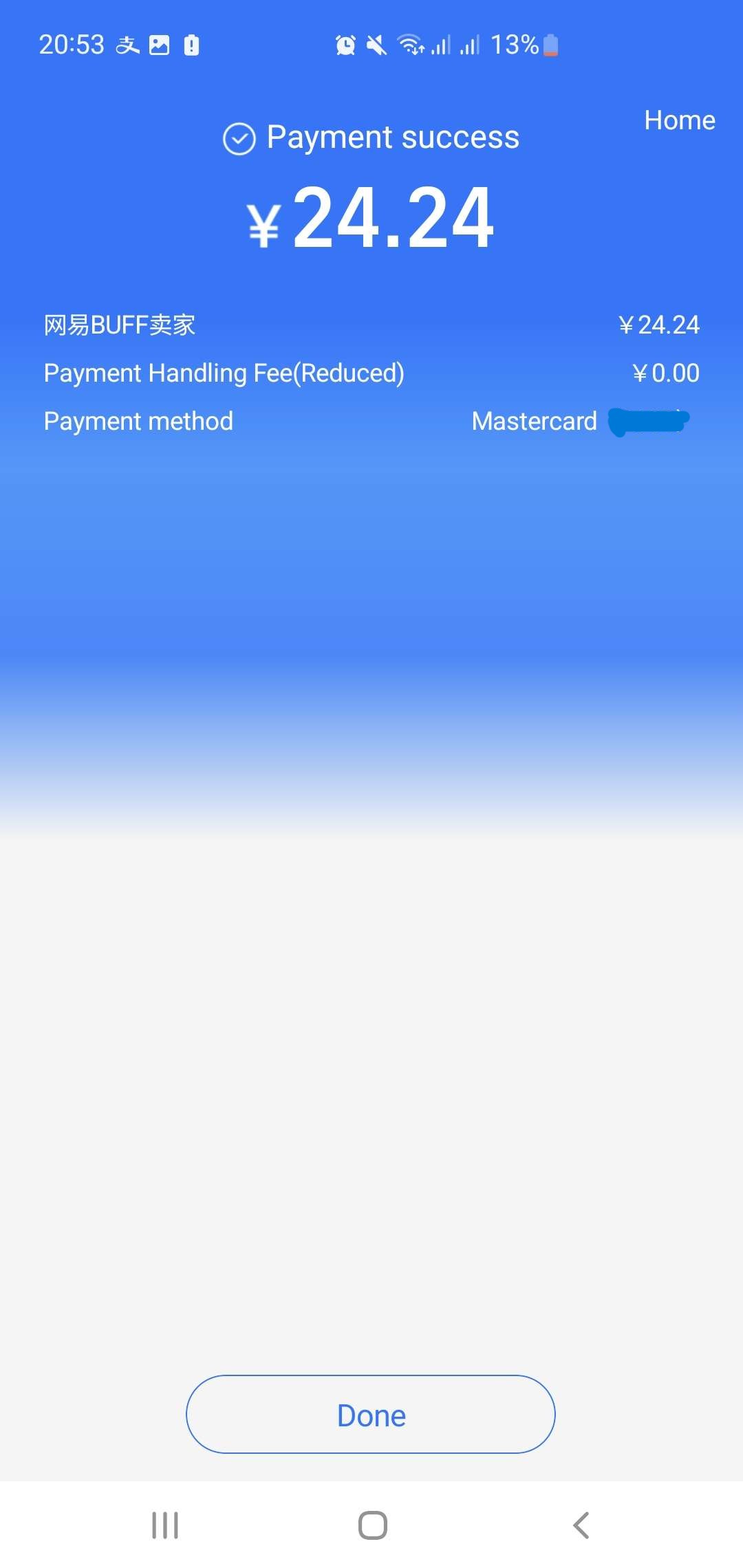
Purchase is done!
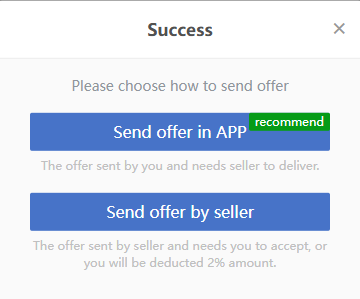
Go back to Buff.163 website and either confirm to receive the trade or wait for the trade offer to be sent. A total of $5,000 can be deposited in one transaction, and $50,000 in total (more possible after further verifications). Avoid using screenshots in the QR scans as it could not work. If the Alipay transaction fails, funds should be returned to your original payment method (if not, you can always check the payment status on the app's "Me - My Transactions - Transaction Details"). Click "Query Order" to contact customer support.
With all steps followed thoroughly, you should easily deposit to Buff.163 as a user outside of China. Happy trading!